Tools - DICOM viewer, GNSS monitor, serial terminal, hex editor and more
🌐 ไทย →
Tools by Kasidit Yusuf, ClearEvo co-founder (about). Each “how to use” guide states that tool’s license and links its source code.
DICOM Viewer - open your MRI / CT / ultrasound scan CD on your phone →
Just open a zip of your MRI, CT or ultrasound scan CD in Chrome on your phone or tablet - or computer. Nothing to install, and your images are never uploaded (verify it yourself). Open the viewer → · How to use, features and limits →
Chrome on your phone - swipe to browse slices, pinch to zoom
Chrome on your tablet - swipe to browse slices, pinch to zoom
Chrome on Windows / Mac / Linux - mouse wheel browses slices, Ctrl+wheel zooms
Kasidit wrote it to look at his own CT scan CD on his phone, then made it free for everyone; the demo scans are his own head CT and MRI, anonymized. Not a medical device - for viewing your own scans, not for diagnosis.
BatRay - monitor your JK BMS battery over Bluetooth →
Open it in Chrome (Android or desktop), press Connect, pick your JK (JiKong) BMS: pack voltage, state of charge, current, power, every cell’s voltage, temperatures, capacity and cycles, live. Nothing to install; battery data stays on the device unless you turn on Share live (verify it yourself). Open BatRay → · How to use and limits →
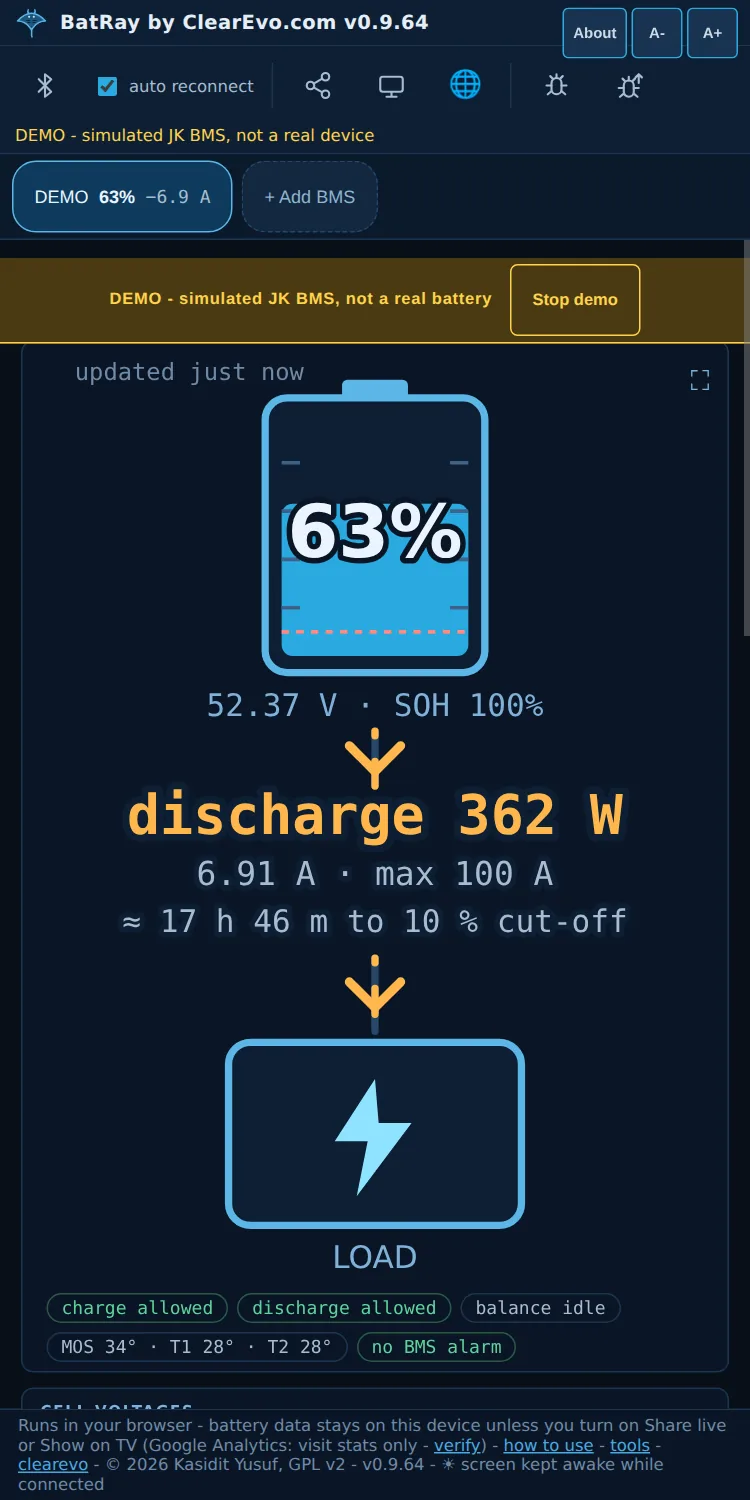
Chrome on your phone - the battery, the flow and the time to go (DEMO, simulated BMS)
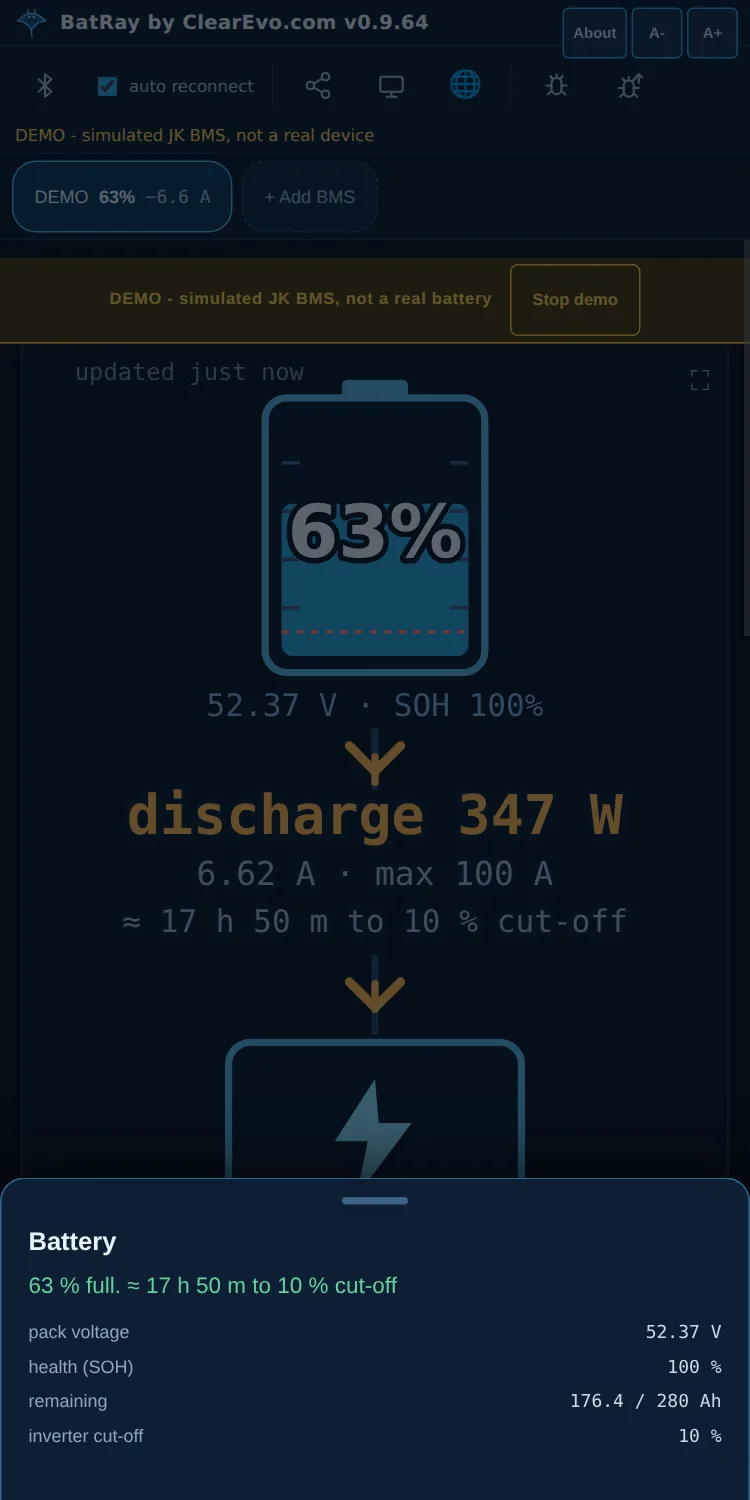
Tap the battery for one plain sentence and the exact values under it (DEMO, simulated BMS)
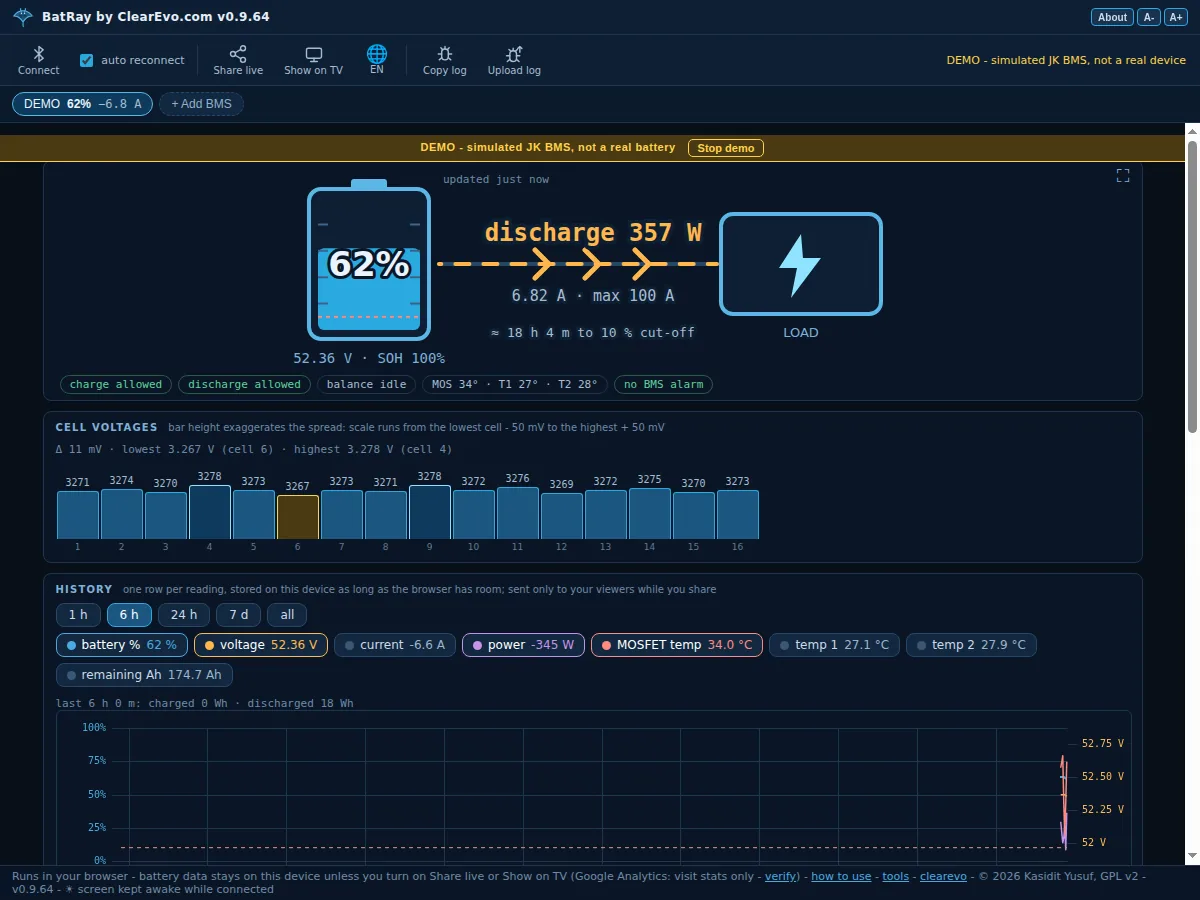
Chrome on Windows / Mac / Linux - cells, history lines of your choice and every figure below the picture (DEMO, simulated BMS)
The frame layout is auto-detected and cross-checked against the sum of the cell voltages, and the page tells you how closely it agreed. A clearly labelled DEMO (simulated pack) is built in.
Turn an old phone, tablet or notebook into a JK BMS monitor by opening one URL - no Raspberry Pi, no ESP32, nothing to flash. Plug it into its charger next to the pack and connect; BatRay keeps the screen awake for as long as Chrome stays in front.
Share live: one button copies a link; open it in Chrome anywhere to watch the pack live. Readings are encrypted on the phone with a key that exists only in the link, so nobody in between, not even clearevo.com, can read them. More than one BMS can be read in parallel. Alerts: Chrome notifications for low battery, no daytime charging, cell spread and lost data. How it works.
Browser tools
These run 100% in your browser: nothing to install, no account, and your files never leave your device (verify it yourself).
- 🛰 GNSS Monitor · how to use → - live GPS/GNSS viewer for external Bluetooth and USB receivers: satellite sky plot, per-satellite signal bars, NMEA decode plus u-blox UBX framing with NAV-PVT decode. Works on Android phones (Chrome) and desktop.
- ☎ HyperTerminal online · how to use → - the long-lost Windows serial terminal, reborn on the Web Serial API: COM properties, capture to file, send text file.
- 📶 AT Command Tester · how to use → - talk to GSM/LTE modems and IoT modules: click-to-send command catalog, script runner, parsed signal/registration status.
- 🔢 Hex Editor · how to use → - free online hex editor: open any file, edit bytes in place, search by hex, text, numbers (u8..i64, little/big endian) or bit sequences at any bit offset.
- 🌍 GIS Converter (Shapefile, GeoJSON, KML, GPX) · how to use → - GDAL
ogr2ogrcompiled to WebAssembly: convert Shapefile, GeoJSON, GPX, KML/KMZ, GeoPackage, CSV, DXF, FlatGeobuf and more, with optional EPSG reprojection - your survey data is never uploaded. - 🔳 Free QR Code Generator · how to use → - your URL/WiFi/contact is encoded directly into the QR: no redirect through anyone’s server, so it never expires and can’t be paywalled later. PNG and SVG export, UI in 12 languages (English, ไทย, 中文, all ASEAN, Español, Português).
- 🎵 Audio Converter (MP4 to MP3) · how to use → - ffmpeg compiled to WebAssembly: extract audio from video (MP4→MP3), convert between MP3, WAV, FLAC, OGG, Opus, M4A - recordings stay on your machine. Honest limit: ~10-20x slower than desktop ffmpeg, 500 MB cap.
- 🩺 doctor · how to use → - the classic Emacs ELIZA psychotherapist: reach your own answer, no AI needed.
- 🧮 calc · how to use → - Emacs-style RPN stack calculator with the bindings your fingers remember.
- 🔍 isearch · how to use → - Emacs-style incremental search over any pasted text or file.
Bluetooth GNSS Android app
Connect Android phones to external Bluetooth GNSS receivers and use the received location via the mock location provider, with NTRIP relay for RTK on supported devices. Free and open source (GitHub). The app is no longer actively developed - its Rust GNSS parser lives on as the engine of the GNSS Monitor browser tool.
Discontinued projects and products history →
Full disclosure: this post - and any code or tool it describes - was co-authored with Claude (Anthropic’s AI, via Claude Code). I directed, guided and reviewed. I don’t want to pretend otherwise.