
HyperTerminal online: the long-lost Windows serial terminal, reborn in your browser
Published:
☎
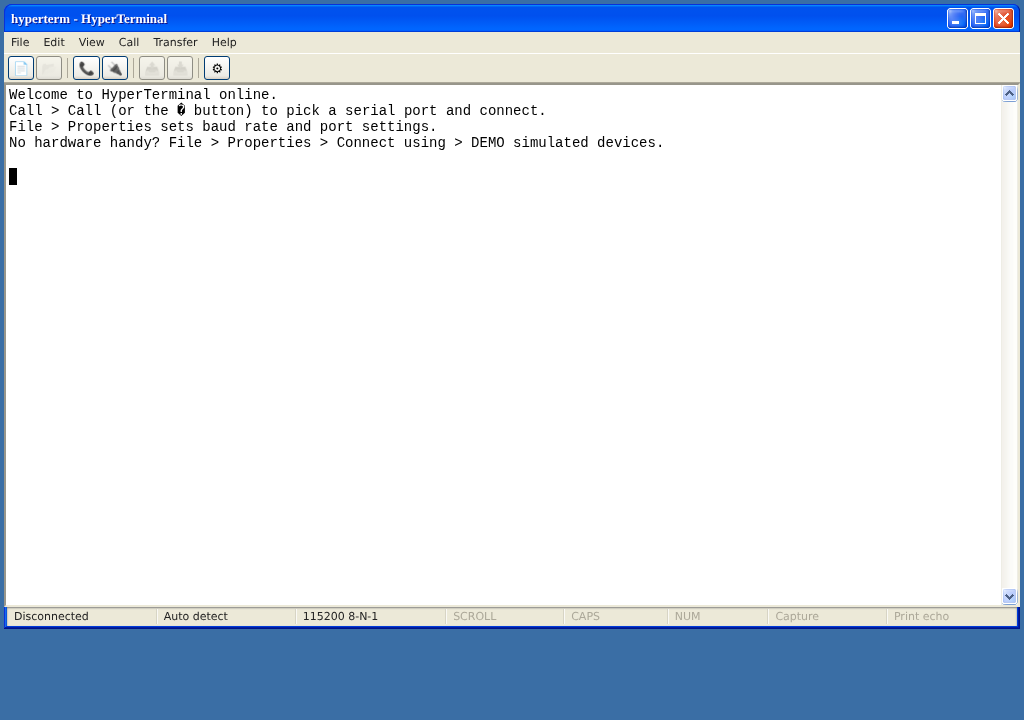
Windows removed HyperTerminal after XP, and ever since, talking to a COM port on a modern PC has meant hunting down PuTTY or Tera Term. Back in my Windows days I kept missing a simple COM port talker that needed no installing and no learning - and even now on Ubuntu I still don’t have one, so most of the time I end up in busybox microcom. I first played with the browser’s Web Serial API in a branch of my Bluetooth GNSS app, and figured others might miss the good old simple HyperTerminal too - so here it is as a web page:
https://www.clearevo.com/hyperterminal/
It brings the classic experience back: the menu bar, the COM Properties dialog with
bits-per-second / data bits / parity / stop bits / flow control, ASCII Setup with local
echo and CR/LF options, Capture Text to a .txt file, Send Text File, and the status bar
with the connect timer and 115200 8-N-1. CH340, CP210x, FTDI, PL2303 and friends all work.
Step-by-step user guide: How to connect to a serial / COM port from your browser.
No install, no account, no server in the middle - it uses the browser’s Web Serial API, so the data goes straight from the page to your serial port and never leaves your machine (Google Analytics for visit stats only). The UI is plain vanilla JavaScript on xp.css, which recreates the Windows XP look pixel by pixel.
No serial device handy? There are three clearly-marked DEMO simulated devices (an AT-command modem and u-blox-like / MTK-like GNSS receivers streaming valid, checksummed NMEA at 1 Hz) - they don’t need Web Serial, so they work in Firefox and Safari too. The how-to guide above covers them.
Some things the original had are not there: Zmodem/Xmodem transfers, printing, and “Wait for a Call” (a browser cannot listen for incoming serial connections). Everything else I could map onto the web platform, I did.
If you work with GNSS receivers, this pairs naturally with my Bluetooth GNSS Android app (source on GitHub) - a u-blox or NMEA device on a USB cable now needs nothing more than a browser tab to inspect.
Full disclosure: this post - and any code or tool it describes - was co-authored with Claude (Anthropic’s AI, via Claude Code). I directed, guided and reviewed. I don’t want to pretend otherwise.